Open source · Alpha · Linux & macOS
MoE Deck
One cockpit for your coding agents.
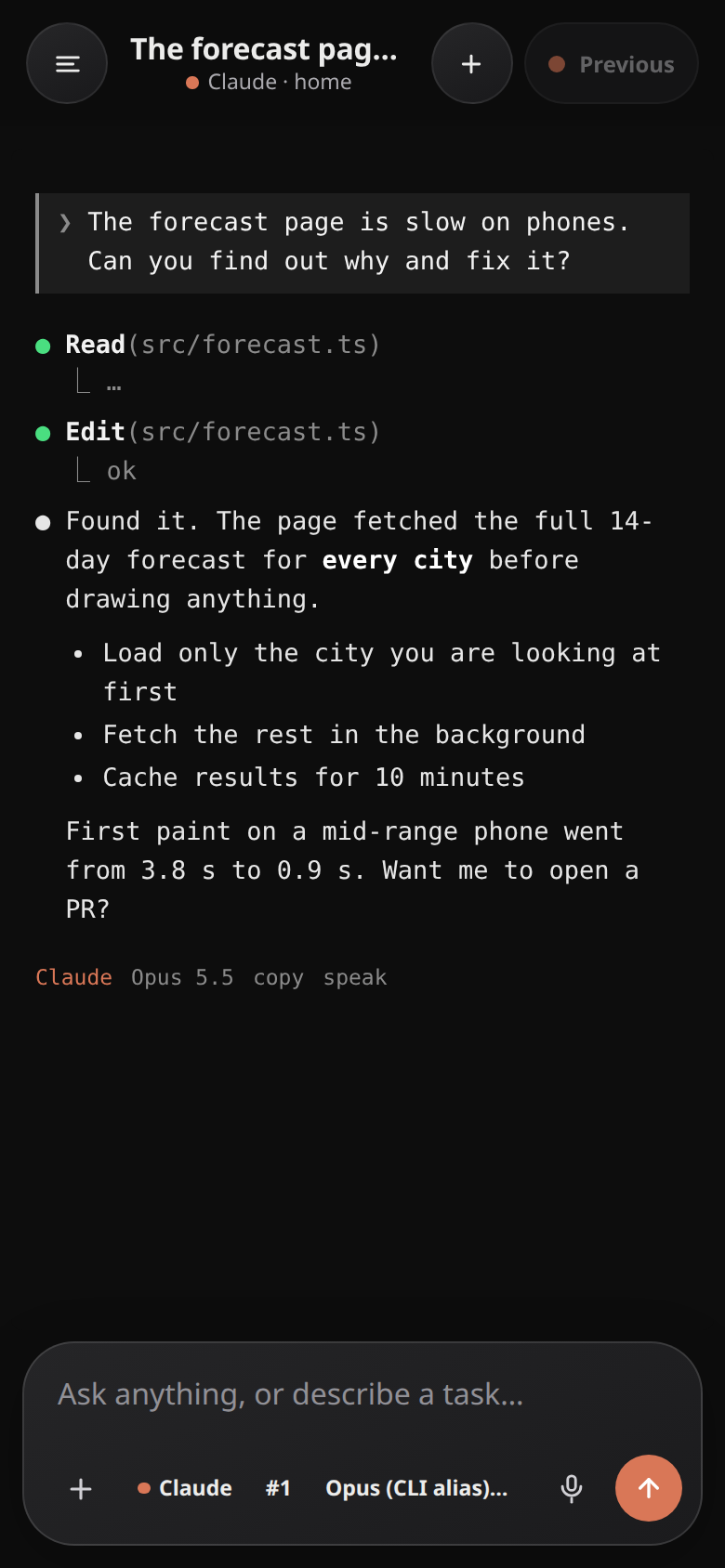
Run Claude Code, Codex, Antigravity and OpenCode on your own computer, and steer all of them from your phone, a browser or the terminal. Your code, sessions and sign-ins stay on your machine.
- Every agent conversation in one list, with search
- Switch agents mid-task and hand over the context
- Answer supported approval requests from your phone
- Git worktrees, diffs, pull requests and live previews
- One small program. No account, no cloud service
Download version 0.1.1
Install
tar xzf moedeck-0.1.1-*.tar.gz
cd moedeck-0.1.1-*/
./moedeck install
moedeck install runs it in the background as your user and prints a pairing link and passcode for your phone. On a Mac, first run xattr -d com.apple.quarantine moedeck, because this alpha isn't signed by Apple yet. You need at least one agent CLI installed (Claude Code, Codex, Antigravity or OpenCode).
Before you start
MoE Deck can run commands as you, so treat access to it like access to your computer. A passcode is always required. Reach it over a private network such as Tailscale, and never expose its port to the open internet. This is an early alpha: tell us what breaks.